

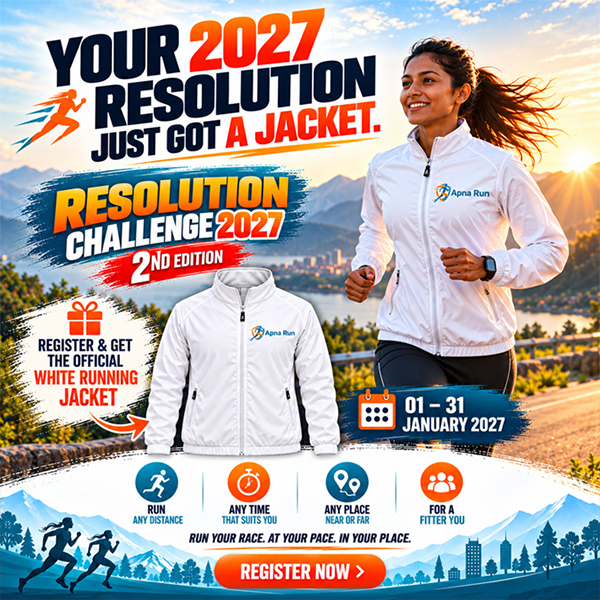
Set your goal, track your KM, and complete your 1-week challenge to Award Yourself!
Step into the New Year with energy, positivity, and a promise to yourself! The Apna Run Resolution Challenge 2026 is all about celebrating health, fitness, and fresh beginnings — in your own way, at your own pace, from wherever you are.
This soft launch challenge is designed to help you kickstart your year with a resolution that sticks. Whether you’re a seasoned runner, a casual walker, or just starting your fitness journey, this is your chance to commit to a healthier, happier you.
Choose your Run Mileage challenge:
-
Beginner – 21 KM:
Perfect for beginners and families.
-
Intermediate – 40 KM:
A great goal to Push your stamina.
-
Advanced – 75 KM:
For the dedicated and determined
-
Set your goal, track your KM, and complete your 1-week challenge to Award Yourself!:
7 days. Your Race. Your Pace. Your Place. Your Level. Your Challenge. Your Victory.
One week, one challenge: begin your 2026 stronger and more determined.
“Premium T-shirt + Medal → because it’s YOUR RUN.”
“250 slots only. Don’t wait. #ApnaRun”
“Anywhere. Anytime. With pride.”
How to Record Your Running Data and Update It on ApnaRun.com
Recording and tracking your running or walking data on Apna Run is simple and completely automatic. Just follow the steps below
-
Step 1: Record Your Run / Walk
- Complete your Run or Walk as per your challenge
- Track your activity using the Strava app
- Make sure your activity is saved successfully on Strava
- We will share your ApnaRun.com login credentials on your registered
- Email / WhatsApp
- Use these details to log in at www.apnarun.com
-
Step 4: Automatic Data Sync
Once Strava is connected, all your running / walking data will be automatically fetched from Strava to ApnaRun.com
- No manual uploads required
- No screenshots required
-
Step 5: Check Your Running Status
Log in to www.apnarun.com
View your Dashboard to track:
- Total Distance
- Daily Progress
- Challenge Completion Status
-
Important Instructions (Please Read)
- Use the same Strava account throughout the challenge
- Keep your Strava activity set to Public
- Sync your Strava app after every run
Your Pace. Your Effort. Your Achievement.
Just run — Apna Run takes care of the rest
Track your live progress anytime on www.apnarun.com
अपना रन पर अपनी रनिंग डेटा कैसे रिकॉर्ड और अपडेट करें
अपना रन पर आपकी रनिंग / वॉकिंग डेटा रिकॉर्ड करना पूरी तरह आसान और ऑटोमैटिक है। बस नीचे दिए गए स्टेप्स को फॉलो करें
-
स्टेप 1: अपनी रन / वॉक रिकॉर्ड करें
- अपनी रन या वॉक चैलेंज के अनुसार पूरी करें
- अपनी एक्टिविटी को स्ट्रावा ऐप पर रिकॉर्ड करें
- रन पूरी होने के बाद यह सुनिश्चित करें कि एक्टिविटी स्ट्रावा पर सेव हो गई हो
- अपना रन डॉट कॉम के लॉगिन विवरण आपको आपके रजिस्टर्ड ईमेल / व्हाट्सएप पर भेज दिए जाएंगे
- इन्हीं विवरणों का उपयोग करके www.apnarun.com पर लॉगिन करें
-
स्टेप 4: ऑटोमैटिक डेटा सिंक
जैसे ही स्ट्रावा कनेक्ट हो जाएगा,
आपकी सभी रन / वॉक की डेटा अपने आप ApnaRun.com पर अपडेट हो जाएगी
- मैन्युअल अपलोड की कोई ज़रूरत नहीं
- स्क्रीनशॉट भेजने की कोई ज़रूरत नहीं
-
स्टेप 5: अपनी रनिंग स्थिति देखें
www.apnarun.com पर लॉगिन करें
अपने डैशबोर्ड में देखें:
- कुल दूरी
- दैनिक प्रगति
- चैलेंज पूरा होने की स्थिति
-
महत्वपूर्ण निर्देश (ज़रूर पढ़ें)
- चैलेंज के दौरान एक ही स्ट्रावा अकाउंट का उपयोग करें
- स्ट्रावा पर आपकी एक्टिविटी पब्लिक होनी चाहिए
- हर रन के बाद स्ट्रावा ऐप को सिंक करना न भूलें
अपनी रफ्तार। आपकी मेहनत। आपकी जीत।
आप बस रन करें — बाकी सब अपना रन खुद संभाल लेगा
अपनी लाइव प्रगति देखें केवल www.apnarun.com पर
Q & A Section
Upload GPS screenshot (Strava, Nike Run Club, Garmin, etc.).
Yes! You can walk, jog, or run at your pace.
Packs will be shipped within 15 days after the event closes.
You’ll still get your T-shirt + medal as a keepsake.